Brief Overview
- Instagram automatically saves expired Stories to your private Stories Archive, where you can access them anytime.
- You can’t restore a Story to its original 24-hour slot, but you can reshare it as a new Story or add it to Highlights.
Instagram stories disappear from your profile after 24 hours, but they don’t get deleted. Every story you post moves automatically into a private folder called the archive, visible only to you, where it stays indefinitely unless you turn that setting off. So, can you unarchive a story on Instagram and bring it back into view? Yes, in two ways – reshare it as a new story, or add it to a permanent Highlight on your profile.
What is actually not explicitly provided is a dedicated Instagram story unarchive button. There’s no setting that resets the 24-hour clock and restores a story exactly as it was.
That difference is where most of the confusion around this feature comes from, and it’s worth understanding before you go looking for old content.
Where Does Your Story Even Go?
When your story expires, Instagram doesn’t delete it. It moves into your Instagram story archive, which is basically a private vault that only you can open, no matter how public your account is.
This happens automatically. Unless you’ve gone in and switched archiving off yourself, literally every story you’ve ever posted is probably there right now.
It’s a bit like putting something in a drawer instead of the bin. It’s out of view, but it’s still yours whenever you want it back.
How To Unarchive a Story On Instagram
Okay, here’s how to unarchive an Instagram story, and guys, it is easier than people expect.
Step 1 – Open Instagram and tap your profile picture.
Step 2 – Click on the three-line menu icon at the top right and then select Archive.
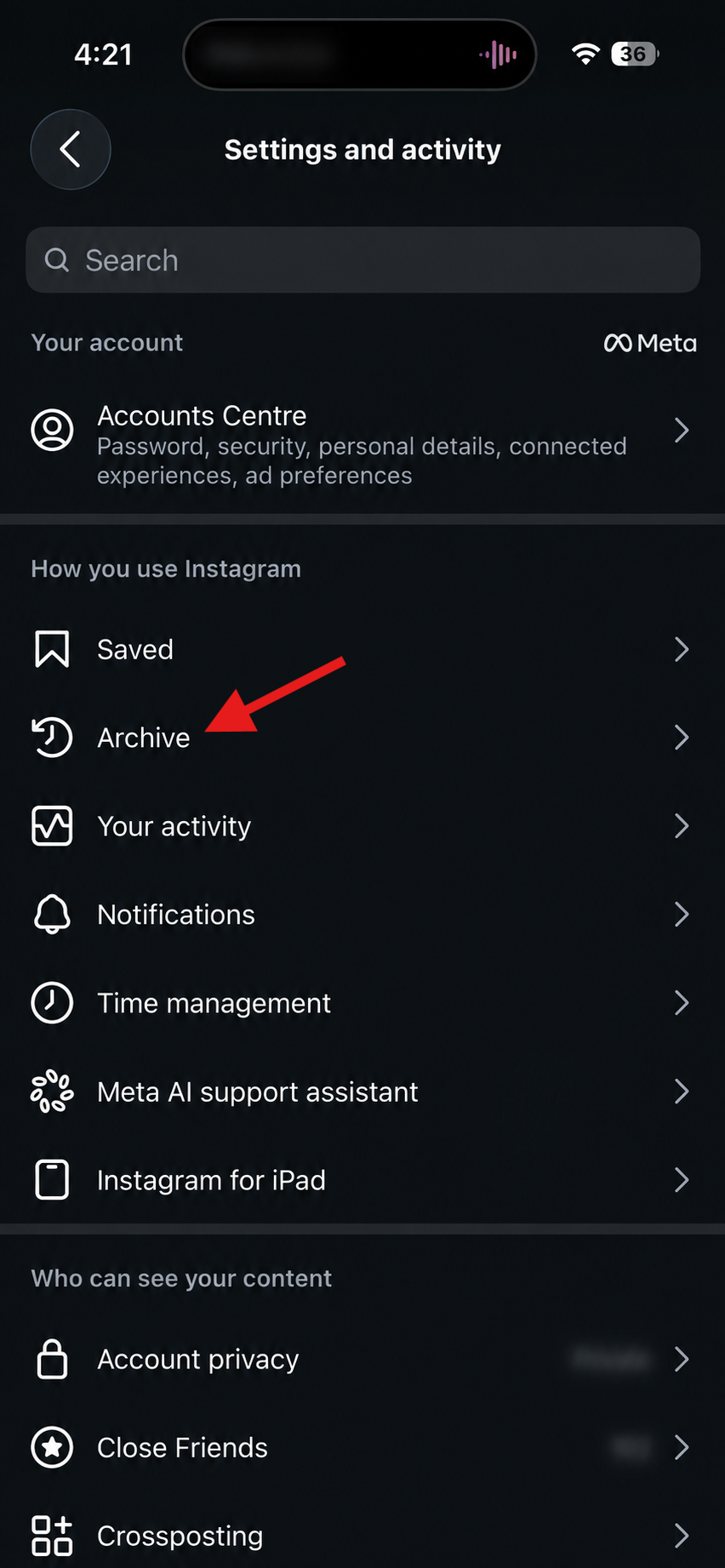
Step 3 – Confirm the dropdown says Stories Archive, not Posts Archive.
Step 4 – Find your archived Instagram stories, and choose the one you want.
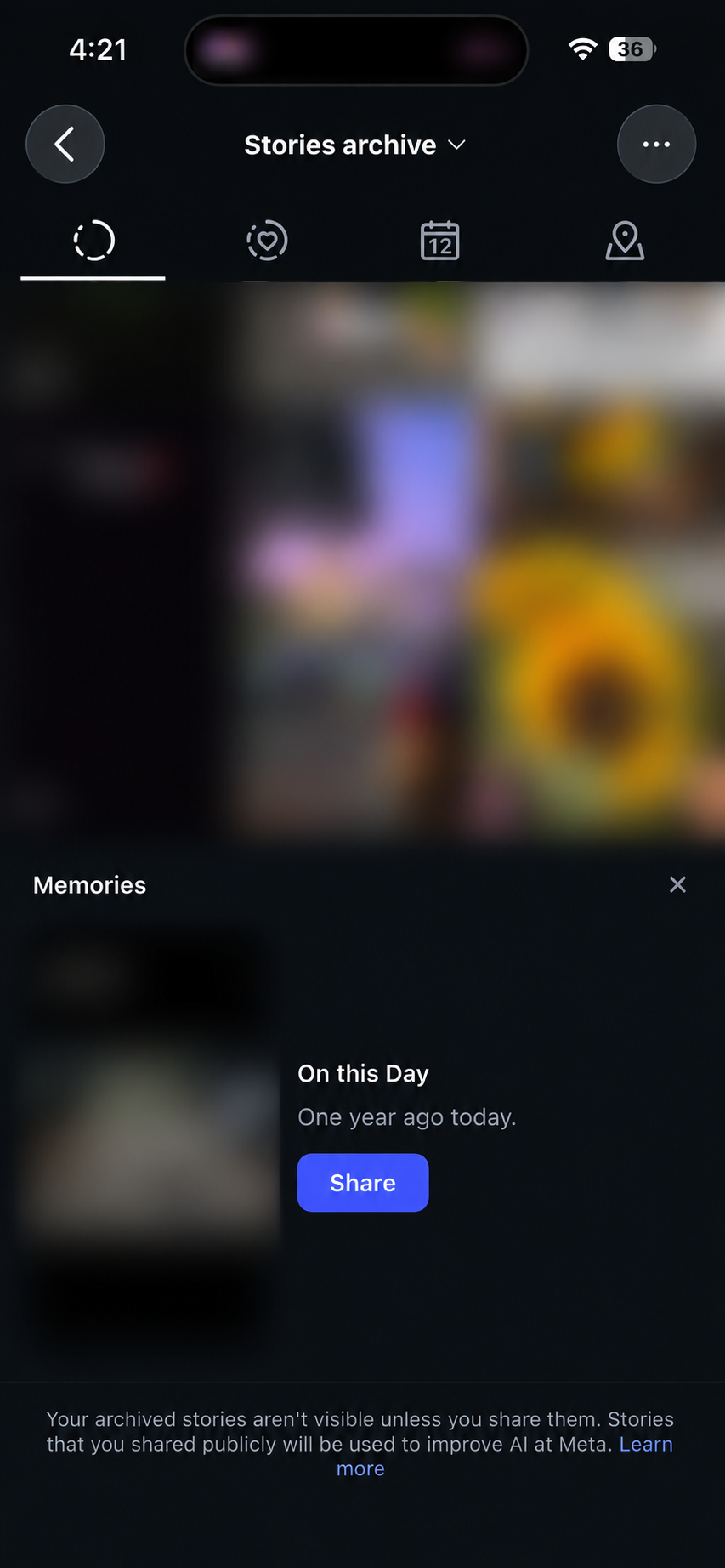
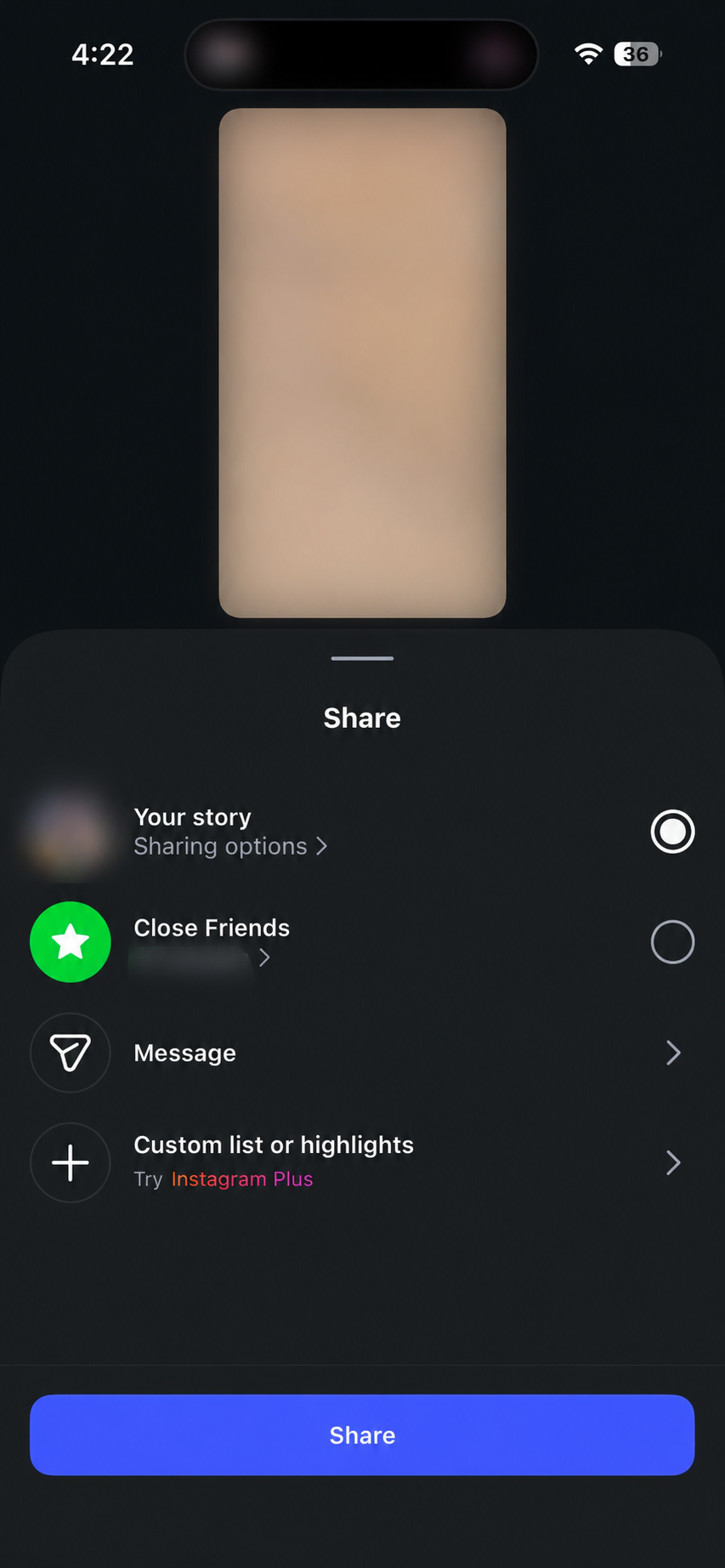
Step 5 – Tap on Share, then choose the option to reshare an Instagram story. Moreover, you can also add any archived story to highlights.
Same steps on iPhone and Android, only icon placement shifts slightly.
Now, Can You Unarchive a Story On Instagram After 24 Hours?
This is honestly where most of the confusion comes from. That 24-hour countdown only ever applies once, right when the story first goes live. Once it lands in your archive, that timer is done for good.
So yes, can I unarchive a story after 24 hours is basically a non-question. You can bring it back next week, next month, or three years from now, and it’ll still work the same.
Everything stays intact too, your captions, stickers, music, all of it.
Read More: How to Increase Watch Time on Instagram
Not Able To Unarchive Instagram Story?
It usually comes down to one of two things.
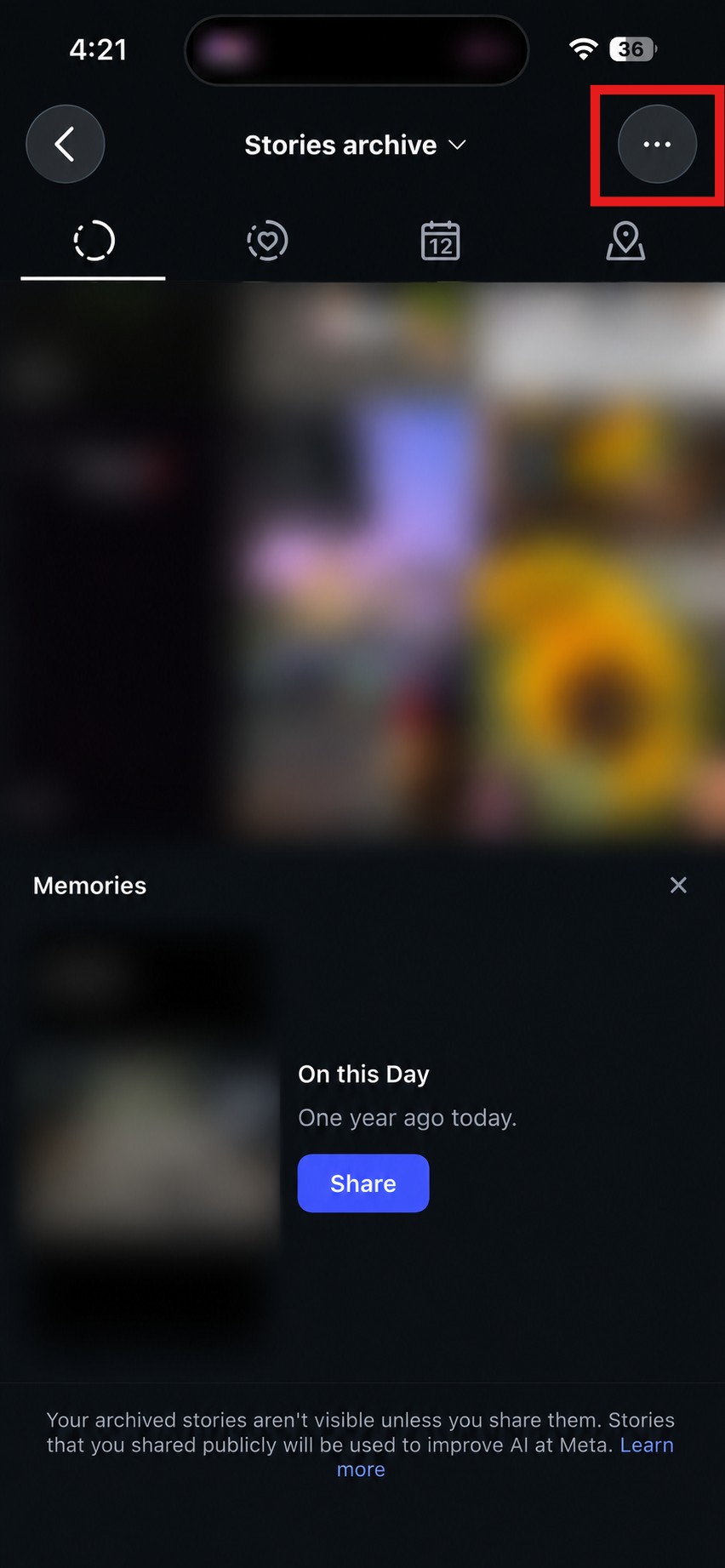
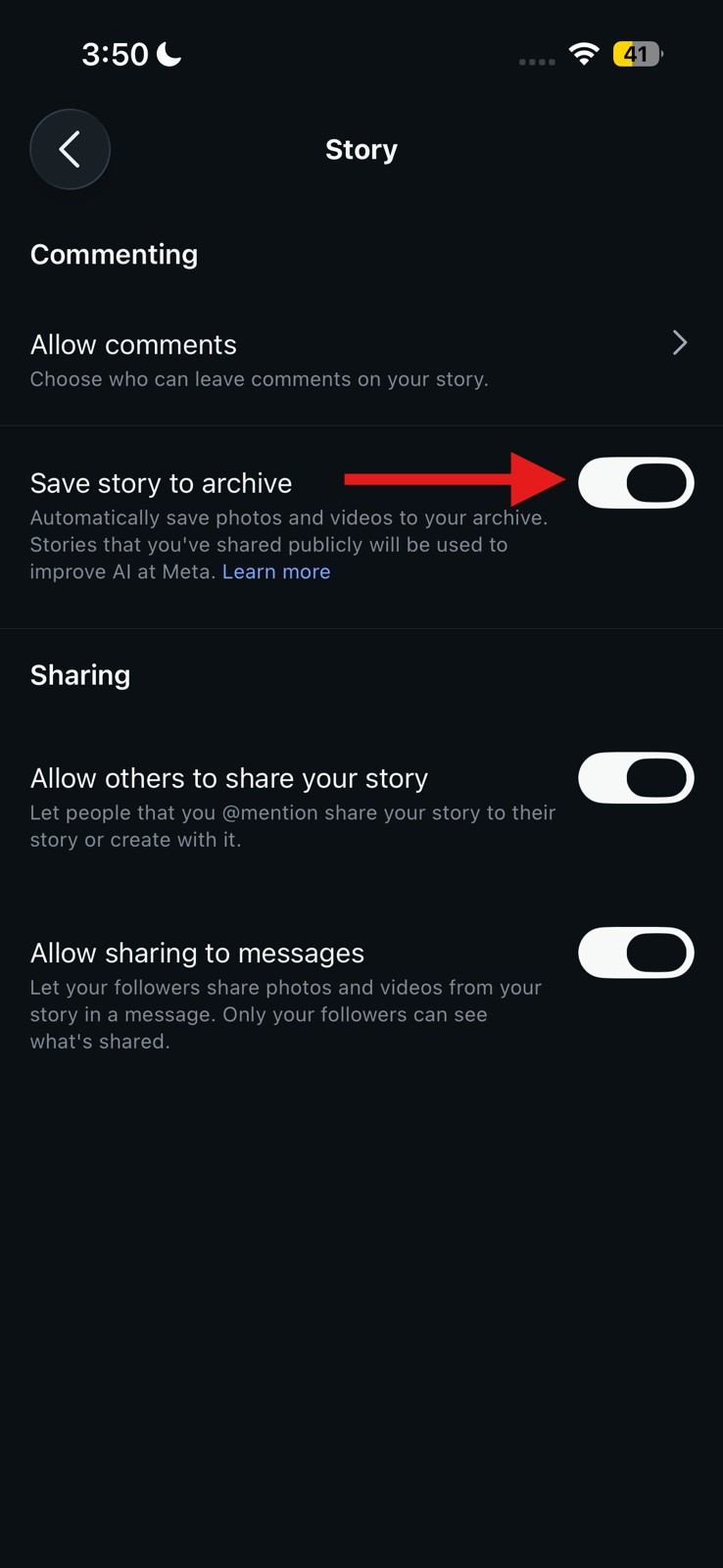
First, your archive settings might be off. Follow the same steps mentioned above till you find your archived stories. Then click on the three dots at the top right corner and go to Settings. If save story to archive was disabled when you first posted the story, it was never saved to begin with, so there’s nothing to unarchive. Turning the setting on now won’t undo that.
Second, you might just be looking in the wrong place. Story archives and the Instagram post archive are two completely different sections, and people constantly mix them up. Make sure to select the right option before you panic.
Reshare It, Or Keep It Forever In Highlights
Once you’ve tracked down the story, you’ve got two ways to bring it back, and they’re not really the same thing.
Reshare gives it another 24 hours in the spotlight, then it drops off again. Fine if you just want a quick second look from people.
But if it’s something worth keeping around, I would personally advise you to add it to your highlights. From the archive, open the story, and click on the button Highlight at the bottom right corner. Then give it a name, pick a cover photo, and it’s done. Now it’s a permanent thing on your profile instead of something that vanishes after a day.

If it’s the kind of content people might go looking for later, like a FAQ, a portfolio piece, or a recap of an event, highlights are genuinely the smarter choice here.
Read More: How to Get More Saves and Shares on Instagram in 2026
The Archive Is Your Safety Net
So, can you unarchive a story on Instagram? Absolutely. Nothing you post is really at risk of disappearing for good unless you go in and delete it on purpose. It just sits there until you decide what to do with it, whether that’s a quick reshare or a permanent spot in your highlights.
So the next time a story vanishes from your profile, there’s no need to panic or start rewriting captions from scratch. It’s not gone. It’s just waiting for you to go get it.
FAQs
How do I unarchive a story on Instagram?
Can I unarchive an Instagram Story after 24 hours?
Can I unarchive an Instagram Story after 24 hours?
Yes, archived stories don’t expire and can be restored anytime.
How to find archived stories on Instagram?
Go to your profile, tap the menu, select Archive, and open Stories Archive to view your archived Stories.
How to repost an archived story on Instagram?
Open it from your archive, tap the three dots, and hit reshare.